E-Tray Exercise: What It Is and How to Pass (UK Graduates 2026/27)


An e-tray exercise is a timed job simulation that looks like an email inbox. It appears at some graduate assessment centres and, increasingly, earlier, as part of an online application. This guide explains what the exercise is, how it is marked, how to sort an inbox under pressure and how to practise. If you are still mapping the whole assessment day, start with our graduate assessment centre guide.
In this guide
What is an e-tray exercise?
Bright Network describes an e-tray as an in-tray exercise that is online: the screen looks like an email inbox, and messages “flow into the inbox over a set time” so employers can see how you respond under time pressure (Bright Network). TARGETjobs adds that the inbox can also hold meeting requests, attachments and instant messages, and that you are usually given a scenario first, such as covering for a manager who is away (TARGETjobs).
The exercise is timed. TARGETjobs puts the usual range at 30 to 80 minutes and notes that extra time for a disability can usually be arranged if you raise it in advance or flag it on the application form. You may be asked to pick the best response from a list, rank responses from most to least effective, prioritise a to-do list and explain why, or write an email.
“Stay calm, read through all the info swiftly and then start to prioritise.”
TARGETjobs advice article, written by Abigail Lewis (updated Aug 2025). This is an editorial tip, not a candidate account; we could not find a named graduate describing their own e-tray, so we have not invented one.
In-tray vs e-tray vs written task
Paper version. You get printed emails, post-its and diary pages and work through them with a pen. Less common now, but the same logic applies.
Digital version. A simulated inbox on a device, at an assessment centre or remotely. It can appear at the online application stage, so do not assume it only happens on the final day.
Some exercises ask you to write one or more replies. Recruiters are checking tone and clarity in a business setting. Do not rely on a spellchecker being available.
Try it: sort six emails in two minutes
The six emails below are our own invented examples, not a real employer test. Choose a response for each. Real exercises score against that employer’s own criteria, so treat the feedback as a reasoning guide rather than a mark scheme.
Inbox sorter
Scenario: your manager is away until Monday. It is Thursday morning.
The four decisions for every email
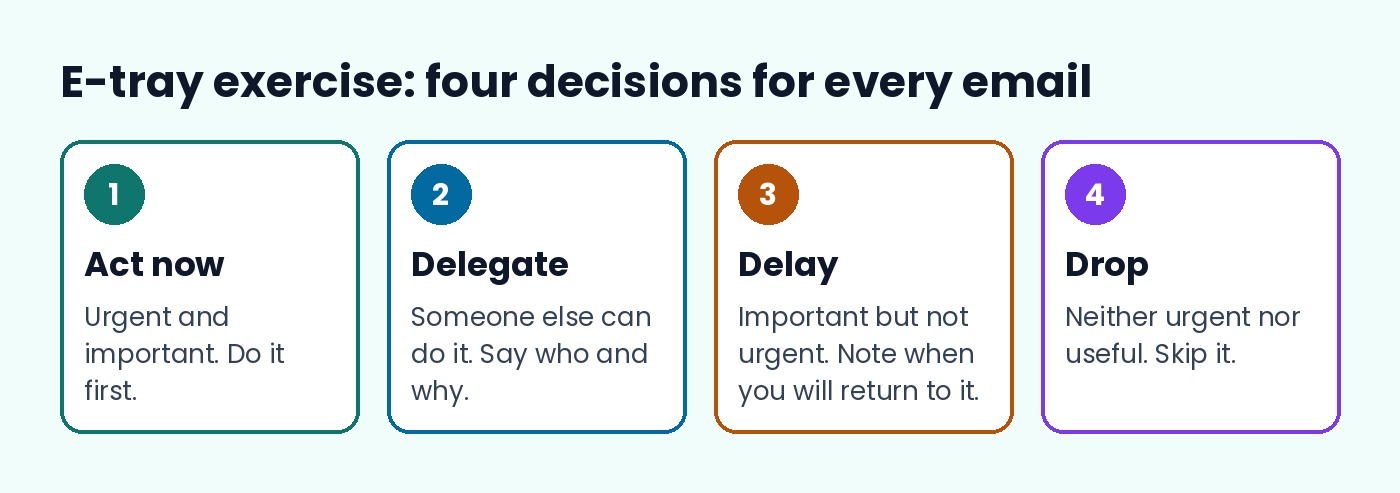
TARGETjobs gives the cleanest framework: for each task you can take immediate action, delegate it, delay or defer it, or drop it. Urgent is not the same as important. If something is urgent but insignificant, deal with it quickly or decide whether it needs doing at all. Some tasks also cannot be finished until another is done, which can change your order. Use what you know about the employer: if one of its values is respecting colleagues and clients, ignoring a colleague’s email is unlikely to be the best choice.
Pacing and timing
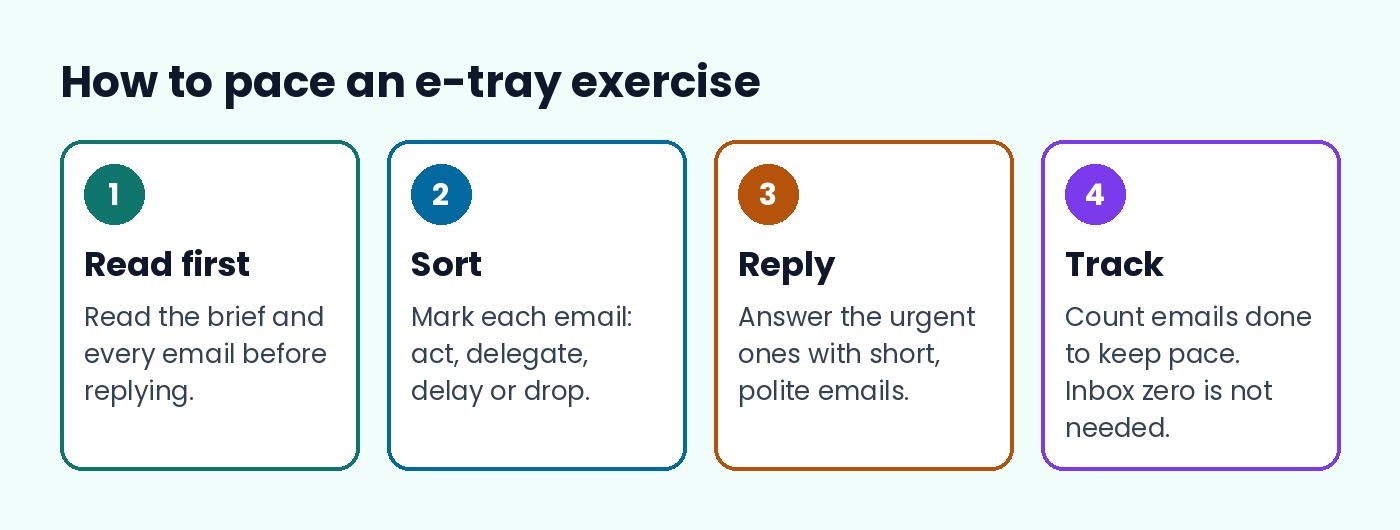
Bright Network’s advice is that you do not need to reach “inbox zero” to pass, and it is usually fine to skip an email that does not need a quick reply. It also suggests counting how many emails you have answered to keep pace, and reading all the documents first if you are given reading time. Use the calculator to set a rough budget.
Time budget
Minutes Emails Reading time (min)
Illustrative only. Your real test sets its own limits.
Writing the email replies
If a reply is required, match the tone to the reader: formal for a client or senior leader. Plan the points and their order, keep it concise, use bullets where they help, then reread before sending. A good short reply states the decision, the reason and the next step. Example for the board-pack email: “Hi Priya, I have the figures and will send the pack by 2pm today. I will copy in Sam so he is aware while he is away.”
How to practise
Look for free samples before the real test. The Civil Service Fast Stream publishes its own e-tray guidance, and our Fast Stream assessment centre guide shows where it sits in that process. E-trays often sit alongside situational judgement tests and other psychometric tests, and some ask for figures, so brush up with our numerical reasoning guide. TARGETjobs also points to AssessmentDay for free and paid practice exercises. Check your employer’s schedule on the graduate scheme deadlines calendar and browse schemes on the Graduate Scheme hub.
FAQ
How long is an e-tray exercise?
TARGETjobs says in-tray and e-tray exercises usually run from 30 to 80 minutes. Your invitation will state the limit.
Do I need to answer every email?
No. Bright Network says you do not need inbox zero, and that skipping low-priority messages can be fine.
What is the difference between an in-tray and an e-tray?
An in-tray uses paper documents. An e-tray is the online version, built like an email inbox.
Can I get extra time?
TARGETjobs says extra time for a disability can usually be arranged if you raise it in advance or flag it on the application form.
Is the e-tray only at assessment centres?
No. It can appear at an assessment centre or earlier, during the online application.
Will I be able to use a spellchecker?
Do not assume so. TARGETjobs advises you not to rely on one being available.
Sources
- TARGETjobs: What are in-tray exercises?
- Bright Network: A guide to in-tray and e-tray exercises
- Civil Service Fast Stream: how to use the e-tray (not opened by us; linked from TARGETjobs)