Presentation Exercise at Graduate Assessment Centres UK: Types, Timings and How to Prepare


Types of presentation exercise at graduate assessment centres
Targetjobs separates two kinds (reported): an individual presentation prepared in advance from a brief, and one set on the day, usually as an add-on to a case study so you present your conclusions (targetjobs). Pick a type to see what to do.
The Thames Water graduate centre has previously included a group activity, a presentation prepared in advance and an interview, according to targetjobs reporting recruiters (reported, not a Thames Water page). Many employers do not publish their exercises, so check your invitation and our graduate assessment centre guide.
What Fast Stream does now
The current Fast Stream Assessment Centre has three exercises: Written Exercise, Oral Briefing Exercise (you analyse data and brief a “director” played by an assessor) and Personal Development Conversation (official). So it has no presentation. See our Fast Stream assessment centre guide.
“Remember to breathe!”
Alisa Harris, former Fast Streamer, on oral exercises, in the archived 2021 FSAC guide (one person’s account; source). She said she speaks too quickly when nervous and advised slowing down.
Time planner
Open: Middle: Close:
Our planner is based on targetjobs examples for a five-minute talk (middle about three minutes, two or three main points), scaled up. It is a guide, not an employer rule. Always check whether Q&A time is included.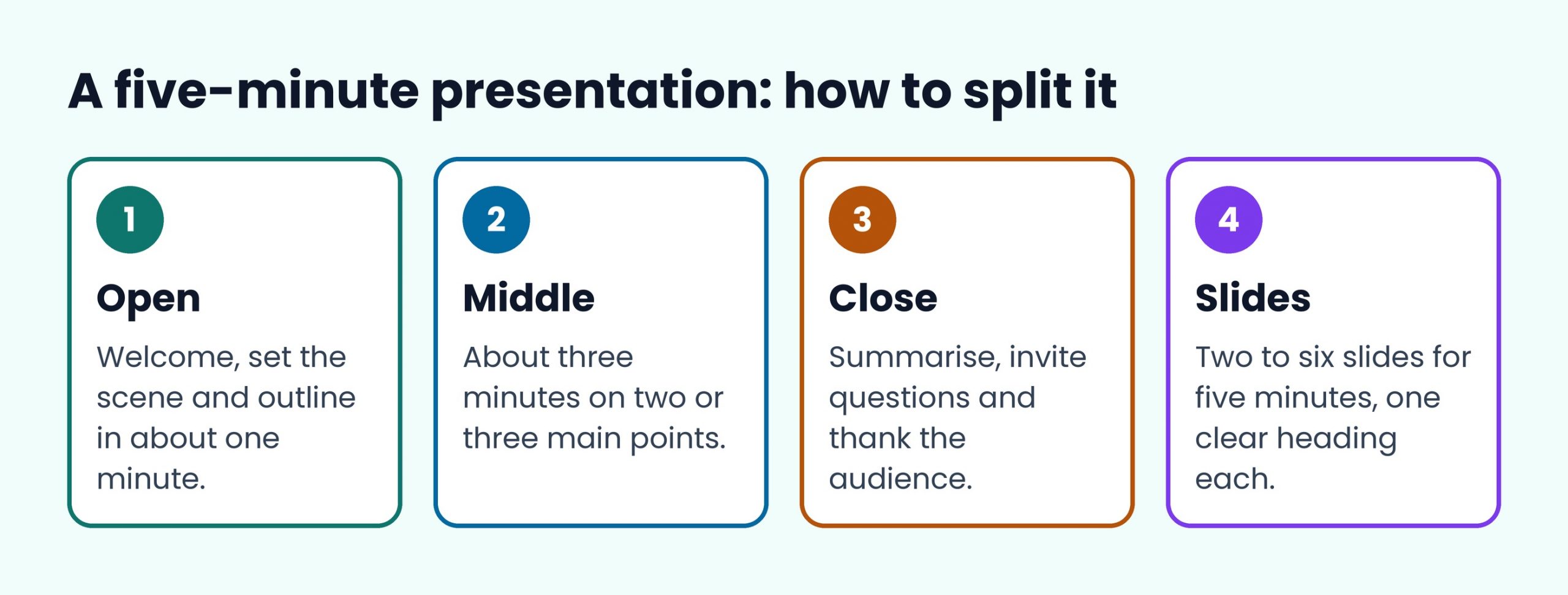
How to build the presentation
| Step | What to do | Source |
|---|---|---|
| Ask early | Confirm subject, length (and whether it includes questions), equipment, platform and audience level | targetjobs (reported) |
| Choose a topic you know | Confident delivery of a simple topic beats a shaky ambitious one | targetjobs (reported) |
| Structure | Welcome and outline, then the middle, then a summary and invitation for questions | targetjobs (reported) |
| Limit content | For five minutes, about four big ideas; keep slides to a heading and a couple of bullet points | targetjobs (reported) |
| Rehearse | Out loud, to time, with a dress rehearsal and likely questions prepared | targetjobs (reported) |
| Tailor | If assessors play a client or board, pitch to them | targetjobs (reported) |
Mistakes to avoid
- Cramming too much or putting the whole talk on the slides.
- Reading from the slides or a full script.
- Running over time, which targetjobs calls a cardinal sin.
- Rushing the start or speeding up when nervous.
- Pitching at the wrong level for the audience.
The official Fast Stream advice for its oral exercises is to use preparation time to think of questions assessors might ask, and if you are asked something you did not prepare for, take the time to consider the answer fully (2021 guide, official, archived).
Virtual presentations
Targetjobs says to expect to use slides or images online, to check the platform and whether your camera should be on, and that you can stick notes to your laptop screen (reported). Practise on the platform if you know it, and ask if camera guidance is unclear. If you are using AI tools to prepare, check your employer’s rules first: PwC, for example, says AI help to generate or complete assessment responses is not permitted unless explicitly authorised (PwC, official; PwC only).
Checklist
0 of 6 done
Presentation exercise FAQ
How long should an assessment centre presentation be?
It depends on the brief. Targetjobs uses five minutes as its worked example. No standard length is published by employers we could verify, so confirm the length and whether it includes questions.
How many slides should I use?
Targetjobs suggests between two and six slides for five minutes, with a clear heading and a couple of bullet points each (reported editorial advice, not an employer rule).
Does the Fast Stream have a presentation exercise?
No. The current centre has a Written Exercise, an Oral Briefing Exercise and a Personal Development Conversation (official).
Can I read from notes?
Notes are fine; targetjobs advises not relying on a full script (reported).
Next: read our graduate assessment centre guide, practise the group exercise and e-tray exercise, see case interviews and deadlines, or browse the graduate scheme hub.